
Tutorial showing how to combine Graphify, Obsidian, and Claude Code to turn documents into a connected, queryable knowledge graph.
Comment “SEND” I will send you the link!
.
.
.
.
#openclaw #ai #claude #aiagents
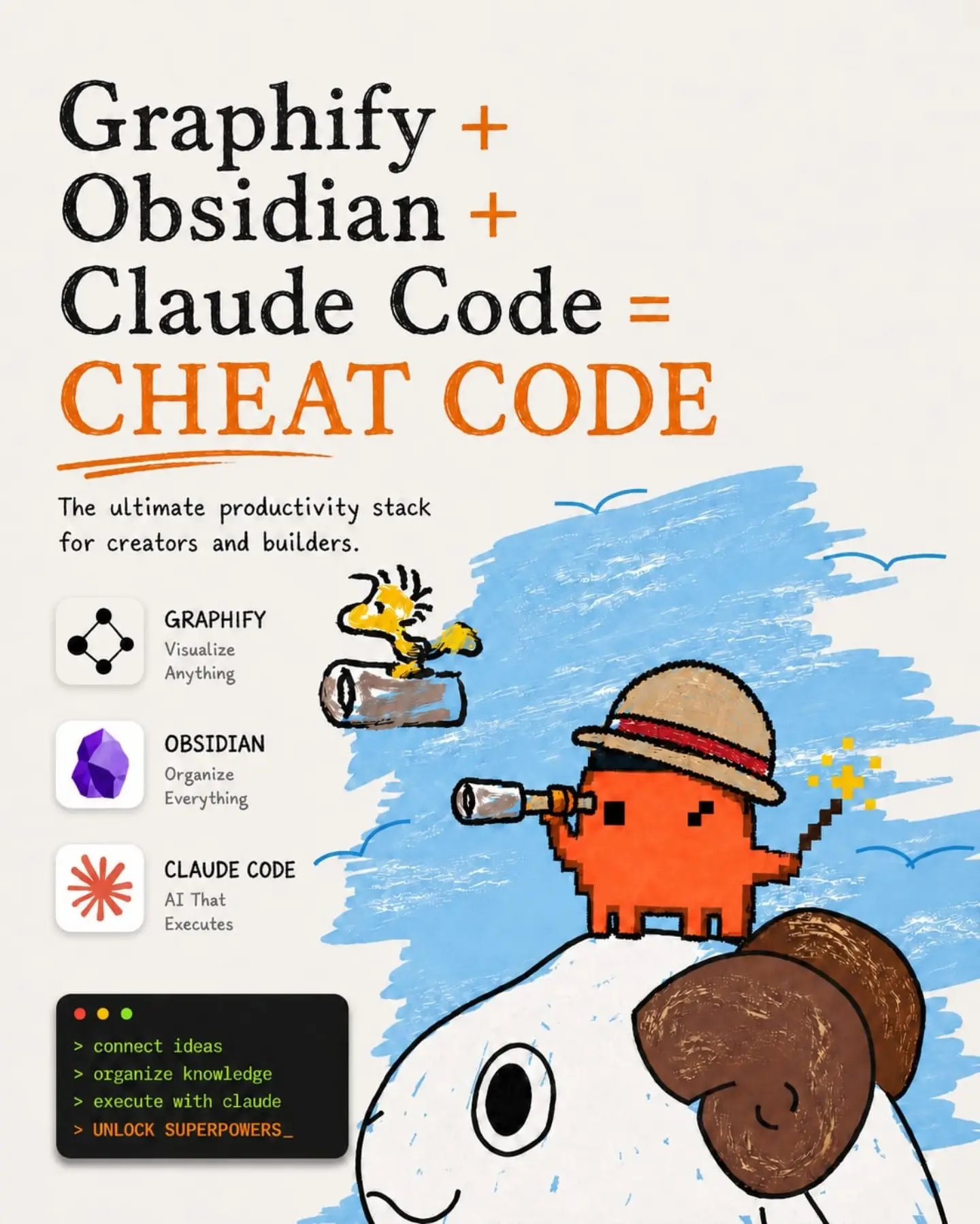
Graphify + Obsidian + Claude Code = CHEAT CODE The ultimate productivity stack for creators and builders. GRAPHIFY Visualize Anything OBSIDIAN Organize Everything CLAUDE CODE AI That Executes > connect ideas > organize knowledge > execute with claude > UNLOCK SUPERPOWERS_
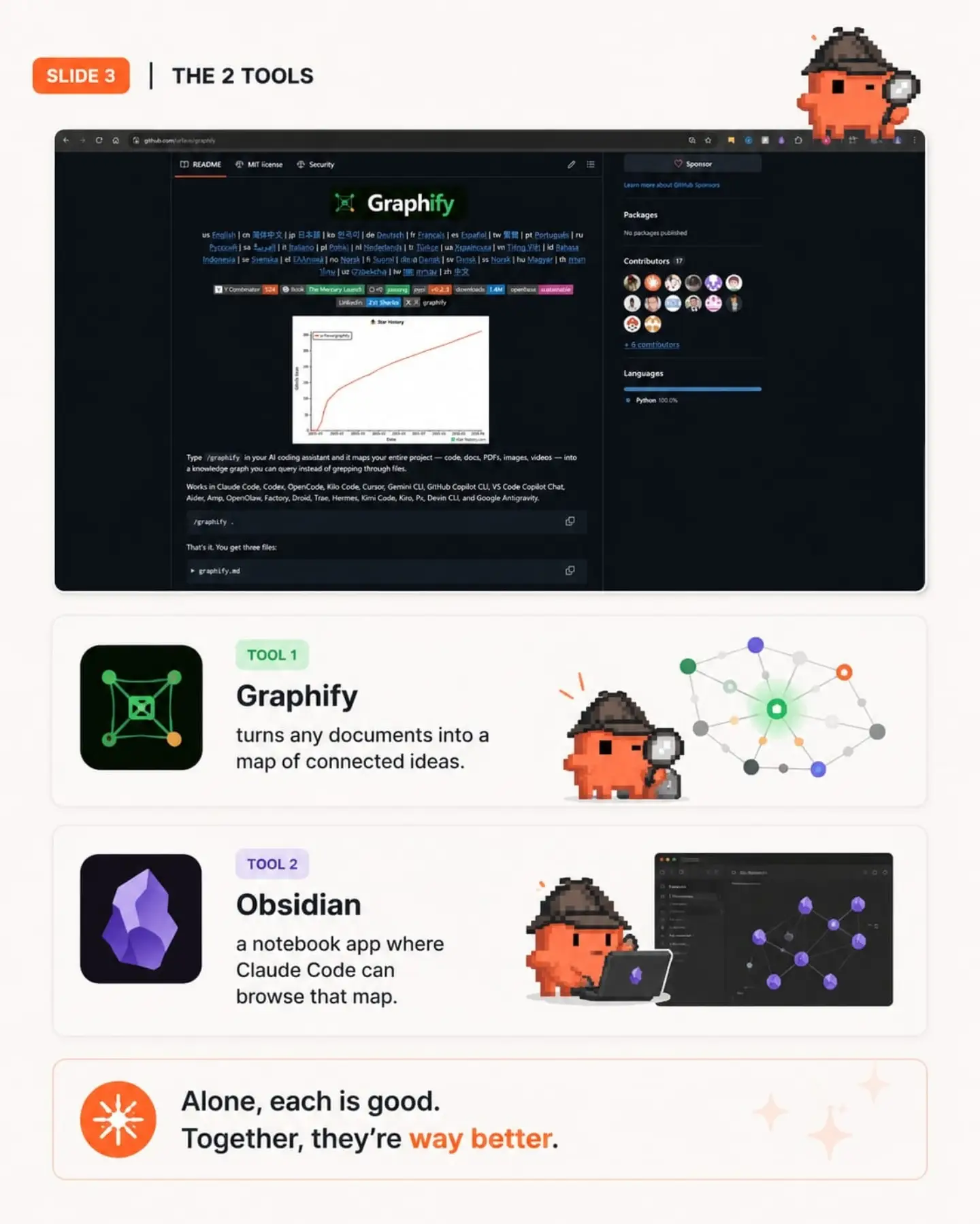
SLIDE 3 | THE 2 TOOLS Graphify README MIT license Security Sponsor Learn more about GitHub Sponsors Packages No packages published Contributors 17 + 6 contributors Languages Python 100.0% Y Combinator 524 Book The Memory Launch passing v0.2.3 downloads 1.6M opensource sustainable LinkedIn X graphify Star History Type /graphify in your AI coding assistant and it maps your entire project — code, docs, PDFs, images, videos — into a knowledge graph you can query instead of grepping through files. Works in Claude Code, Codex, OpenCode, Kilo Code, Cursor, Gemini CLI, GitHub Copilot CLI, VS Code Copilot Chat, Aider, Amp, OpenClaw, Factory, Droid, Trae, Hermes, Kimi Code, Kiro, Px, Devin CLI, and Google Antigravity. /graphify . That's it. You get three files: graphify.md TOOL 1 Graphify turns any documents into a map of connected ideas. TOOL 2 Obsidian a notebook app where Claude Code can browse that map. Alone, each is good. Together, they're way better.
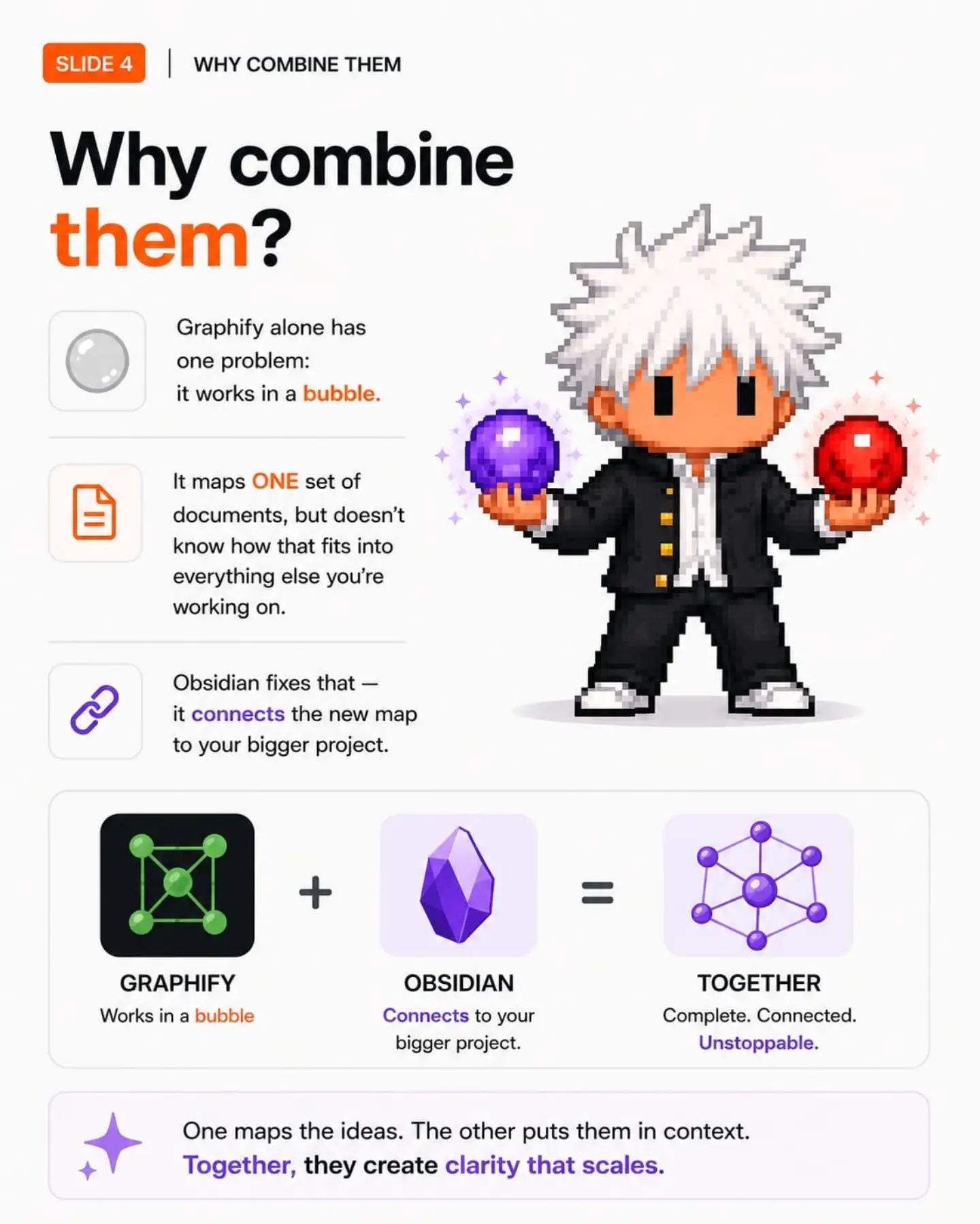
SLIDE 4 | WHY COMBINE THEM Why combine them? Graphify alone has one problem: it works in a bubble. It maps ONE set of documents, but doesn't know how that fits into everything else you're working on. Obsidian fixes that — it connects the new map to your bigger project. GRAPHIFY Works in a bubble OBSIDIAN Connects to your bigger project. TOGETHER Complete. Connected. Unstoppable. One maps the ideas. The other puts them in context. Together, they create clarity that scales.
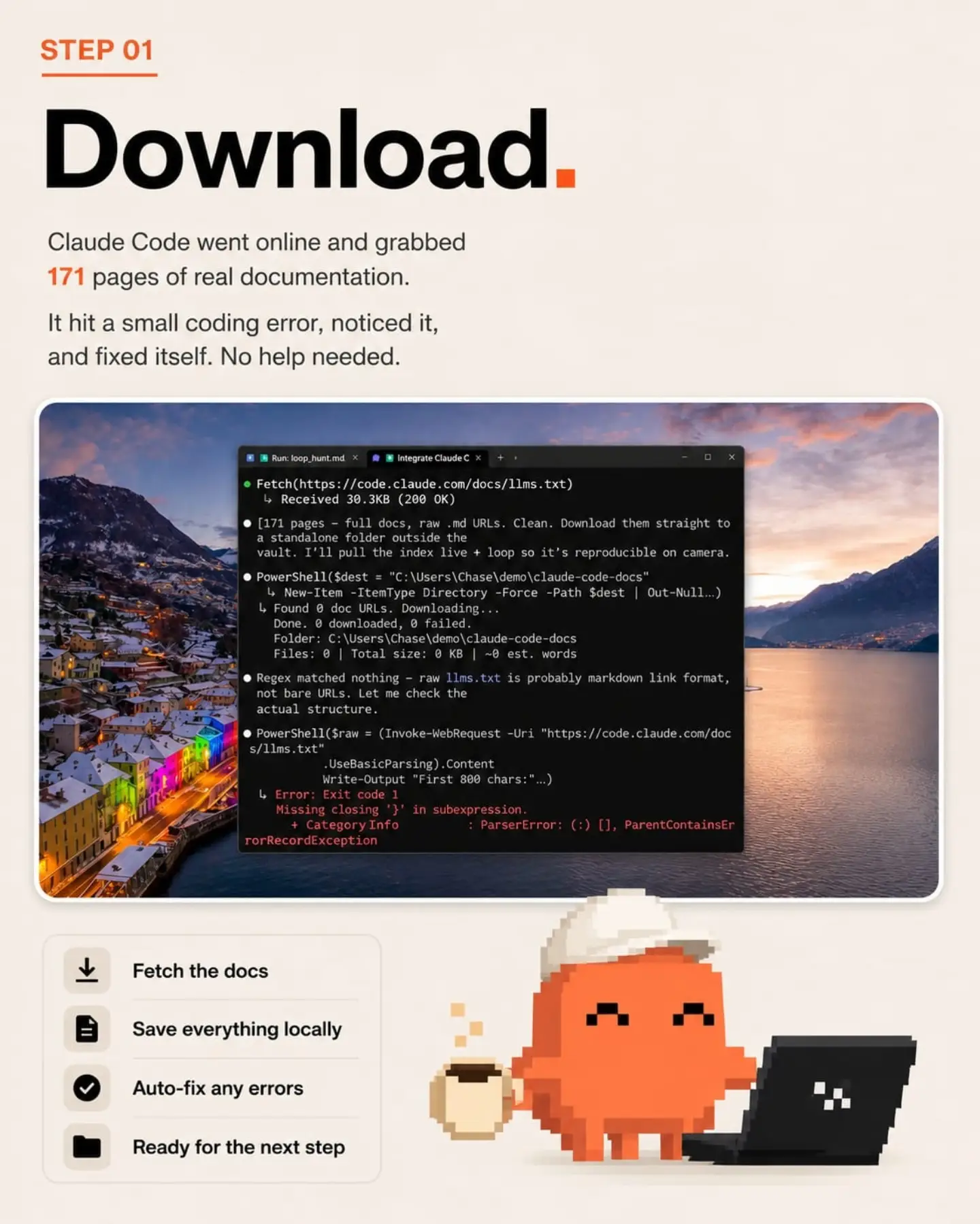
STEP 01 Download. Claude Code went online and grabbed 171 pages of real documentation. It hit a small coding error, noticed it, and fixed itself. No help needed. Run: loop_hunt.md Integrate Claude C Fetch(https://code.claude.com/docs/llms.txt) ↳ Received 30.3KB (200 OK) [171 pages - full docs, raw .md URLs. Clean. Download them straight to a standalone folder outside the vault. I'll pull the index live + loop so it's reproducible on camera. PowerShell($dest = "C:\Users\Chase\demo\claude-code-docs" ↳ New-Item -ItemType Directory -Force -Path $dest | Out-Null...) ↳ Found 0 doc URLs. Downloading... Done. 0 downloaded, 0 failed. Folder: C:\Users\Chase\demo\claude-code-docs Files: 0 | Total size: 0 KB | ~0 est. words Regex matched nothing – raw llms.txt is probably markdown link format, not bare URLs. Let me check the actual structure. PowerShell($raw = (Invoke-WebRequest -Uri "https://code.claude.com/docs/llms.txt" .UseBasicParsing).Content Write-Output "First 800 chars:"...) ↳ Error: Exit code 1 Missing closing '}' in subexpression. + Category Info : ParserError: (:) [], ParentContainsErrorRecordException Fetch the docs Save everything locally Auto-fix any errors Ready for the next step
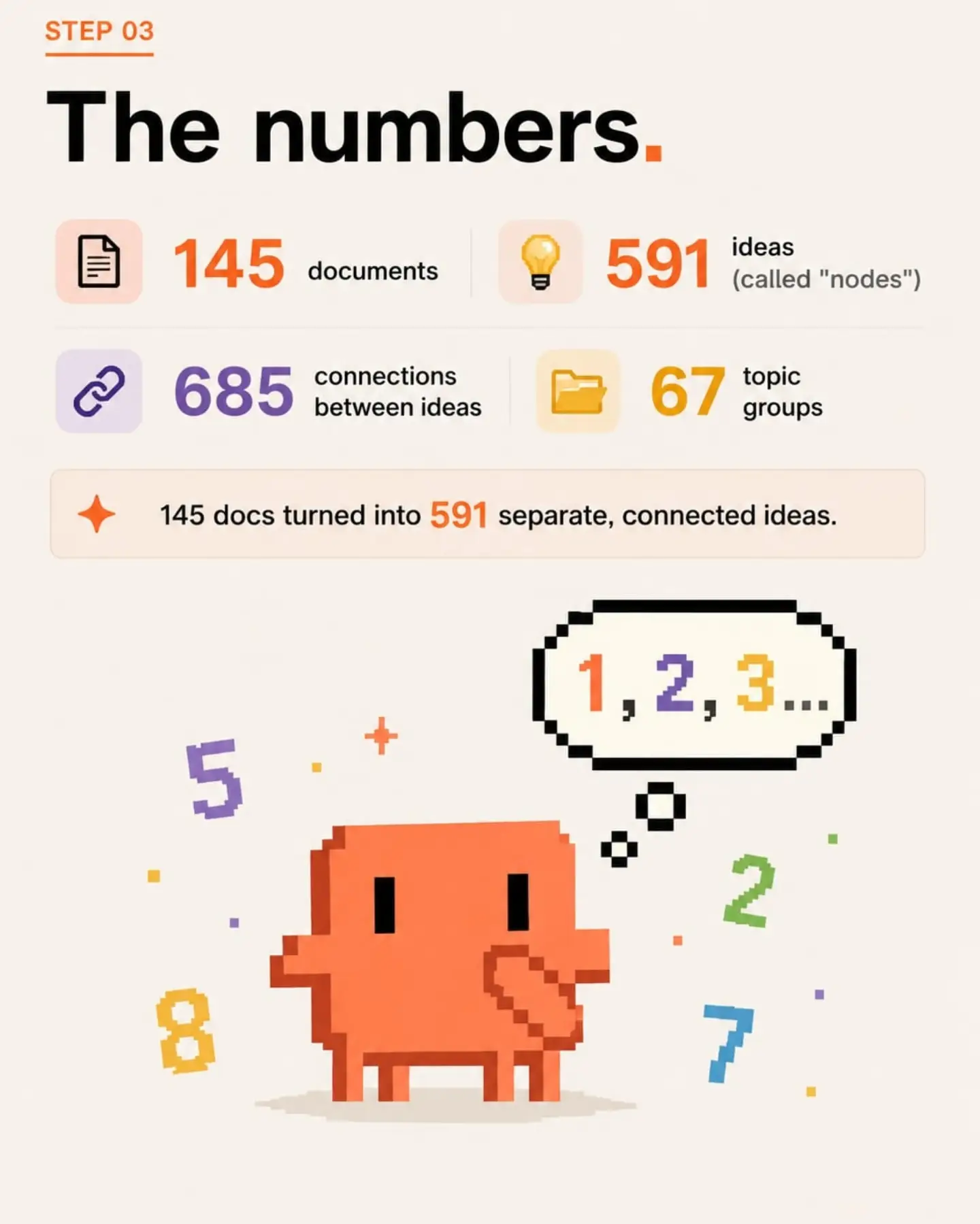
STEP 03 The numbers. 145 documents 591 ideas (called "nodes") 685 connections between ideas 67 topic groups 145 docs turned into 591 separate, connected ideas. 1, 2, 3...
Slide 10 See the whole map. Graph view _archive-vault content daily-notes templates tips projects system ideas CLAUDE The Vault 1,252 nodes 1,873 edges All of this turns into an actual picture. Each dot = one idea. Each line = a connection between ideas. Bigger dot = more connections = more important. Zoom out. Connect more. Build better.
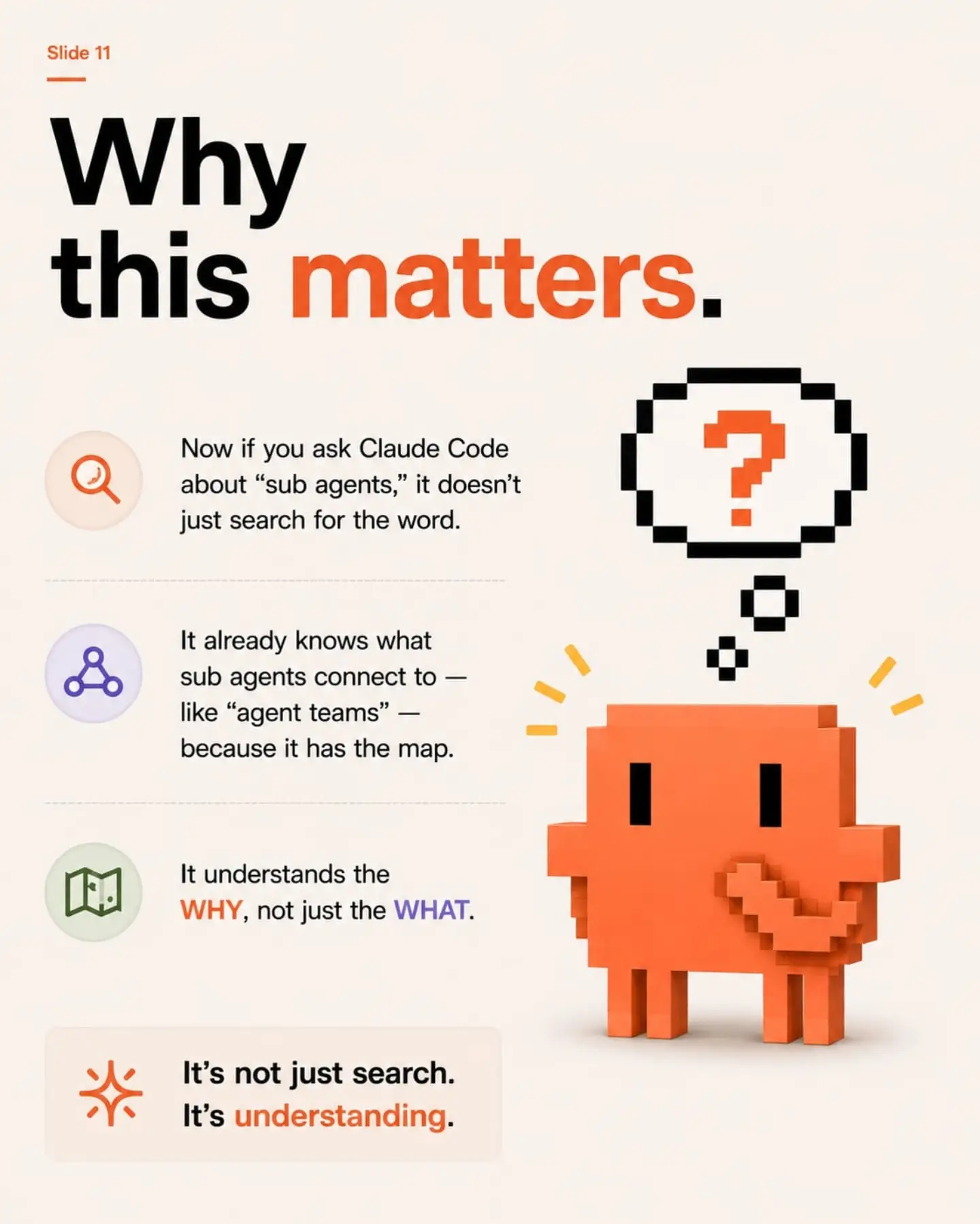
Slide 11 Why this matters. Now if you ask Claude Code about "sub agents," it doesn't just search for the word. It already knows what sub agents connect to — like "agent teams" — because it has the map. It understands the WHY, not just the WHAT. It's not just search. It's understanding.
SLIDE 13 The big question. How do we get this map INTO Obsidian, where all your other stuff already lives? Turns out, there's a one-word answer for that. The 3-step setup →
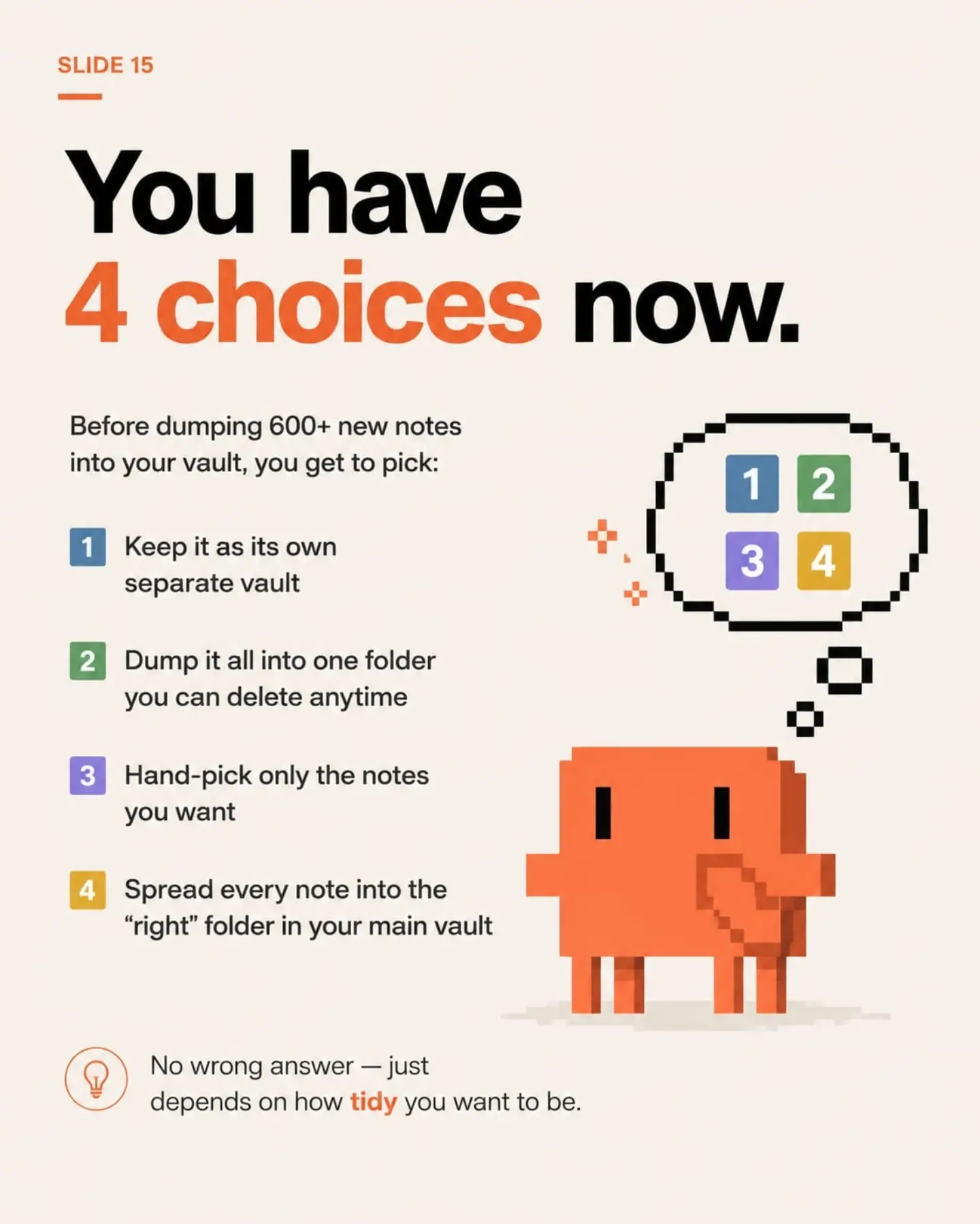
SLIDE 15 You have 4 choices now. Before dumping 600+ new notes into your vault, you get to pick: 1 Keep it as its own separate vault 2 Dump it all into one folder you can delete anytime 3 Hand-pick only the notes you want 4 Spread every note into the "right" folder in your main vault No wrong answer — just depends on how tidy you want to be.
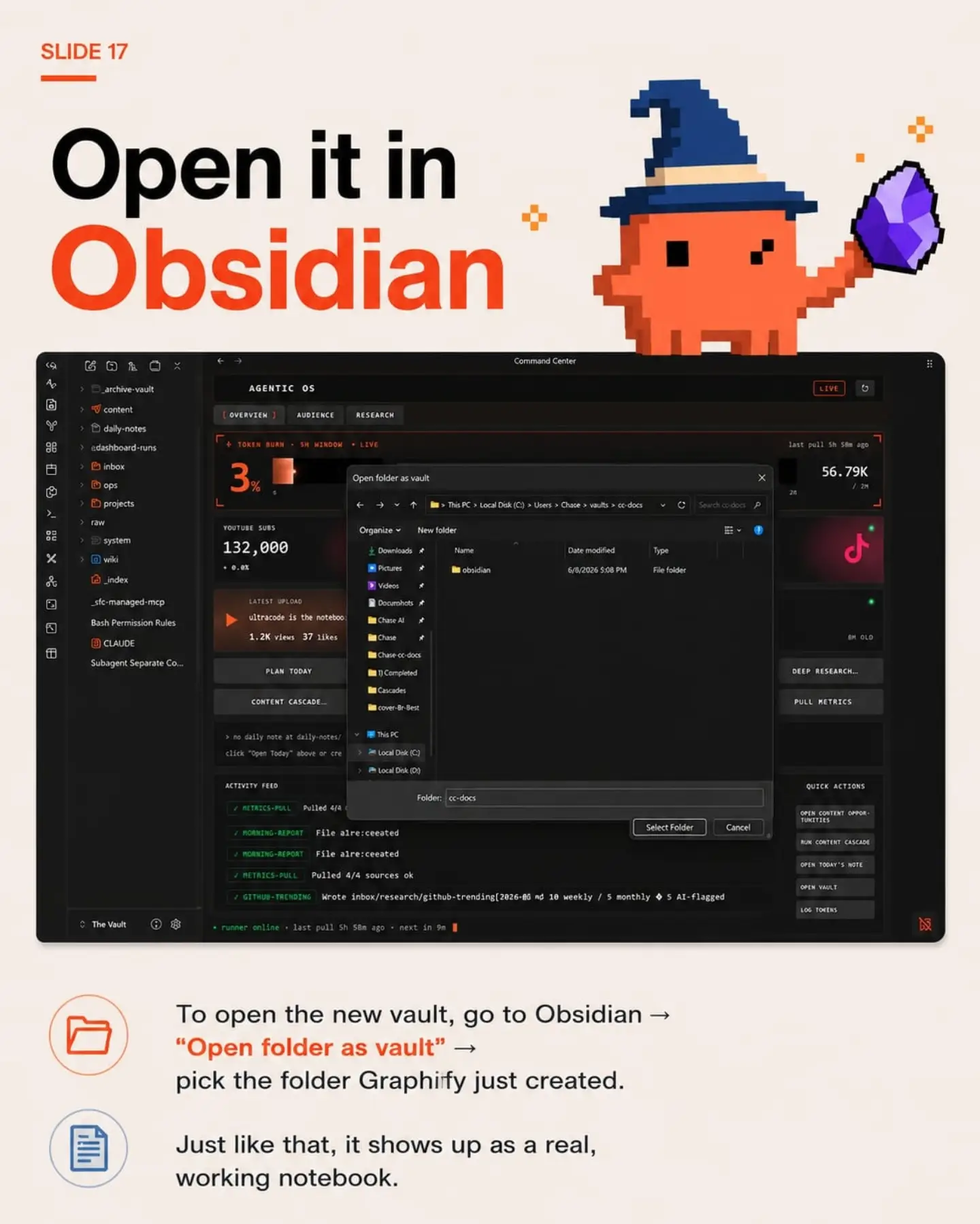
SLIDE 17 Open it in Obsidian Command Center AGENTIC OS OVERVIEW AUDIENCE RESEARCH TOKEN BURN • 5H WINDOW • LIVE 3% last pull 5h 58m ago 56.79K / 2M YOUTUBE SUBS 132,000 + 0.0% Open folder as vault Organize New folder Downloads Pictures Videos Documents Chase AI Chase Chase-cc-docs 1) Completed Cascades cover-Br-Best This PC Local Disk (C:) Local Disk (D:) Name: obsidian Date modified: 6/8/2026 5:08 PM Type: File folder Folder: cc-docs Select Folder Cancel LATEST UPLOAD ultracode is the notebook... 1.2K views 37 likes PLAN TODAY CONTENT CASCADE... > no daily note at daily-notes/ click "Open Today" above or cre ACTIVITY FEED METRICS-PULL Pulled 4/4 MORNING-REPORT File alre:ceeated MORNING-REPORT File alre:ceeated METRICS-PULL Pulled 4/4 sources ok GITHUB-TRENDING Wrote inbox/research/github-trending[2026-06 md 10 weekly / 5 monthly ◇ 5 AI-flagged QUICK ACTIONS OPEN CONTENT OPPOR-TUNITIES RUN CONTENT CASCADE OPEN TODAY'S NOTE OPEN VAULT DEEP RESEARCH... PULL METRICS LOG TOKENS runner online • last pull 5h 58m ago • next in 9m To open the new vault, go to Obsidian → "Open folder as vault" → pick the folder Graphify just created. Just like that, it shows up as a real, working notebook.
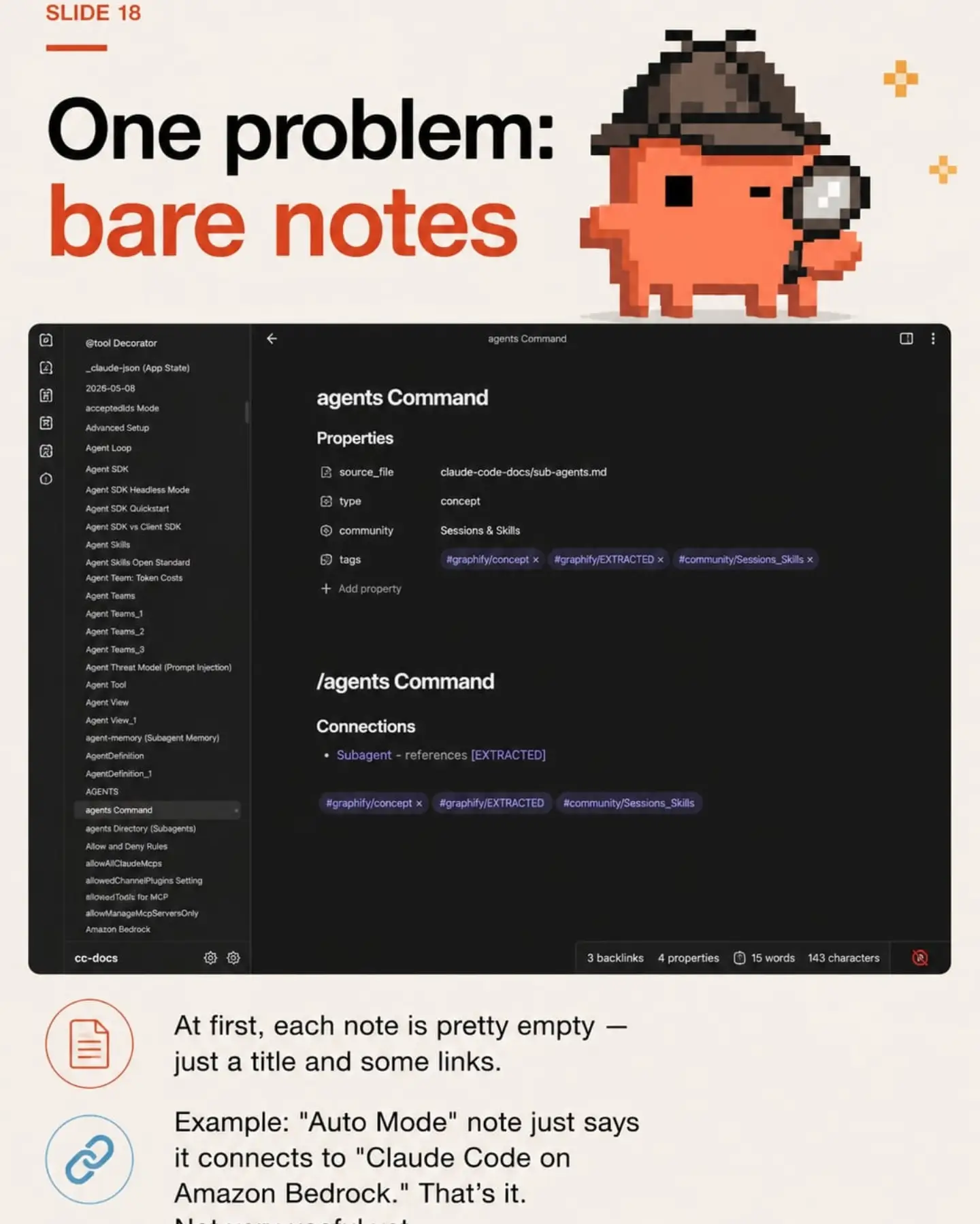
SLIDE 18 One problem: bare notes @tool Decorator _claude-json (App State) 2026-05-08 acceptedIds Mode Advanced Setup Agent Loop Agent SDK Agent SDK Headless Mode Agent SDK Quickstart Agent SDK vs Client SDK Agent Skills Agent Skills Open Standard Agent Team: Token Costs Agent Teams Agent Teams_1 Agent Teams_2 Agent Teams_3 Agent Threat Model (Prompt Injection) Agent Tool Agent View Agent View_1 agent-memory (Subagent Memory) AgentDefinition AgentDefinition_1 AGENTS agents Command agents Directory (Subagents) Allow and Deny Rules allowAllClaudeMcps allowedChannelPluginsSetting allowedTools for MCP allowManageMcpServersOnly Amazon Bedrock agents Command Properties source_file claude-code-docs/sub-agents.md type concept community Sessions & Skills tags #graphify/concept #graphify/EXTRACTED #community/Sessions_Skills + Add property /agents Command Connections Subagent - references [EXTRACTED] #graphify/concept #graphify/EXTRACTED #community/Sessions_Skills cc-docs 3 backlinks 4 properties 15 words 143 characters At first, each note is pretty empty — just a title and some links. Example: "Auto Mode" note just says it connects to "Claude Code on Amazon Bedrock." That's it.
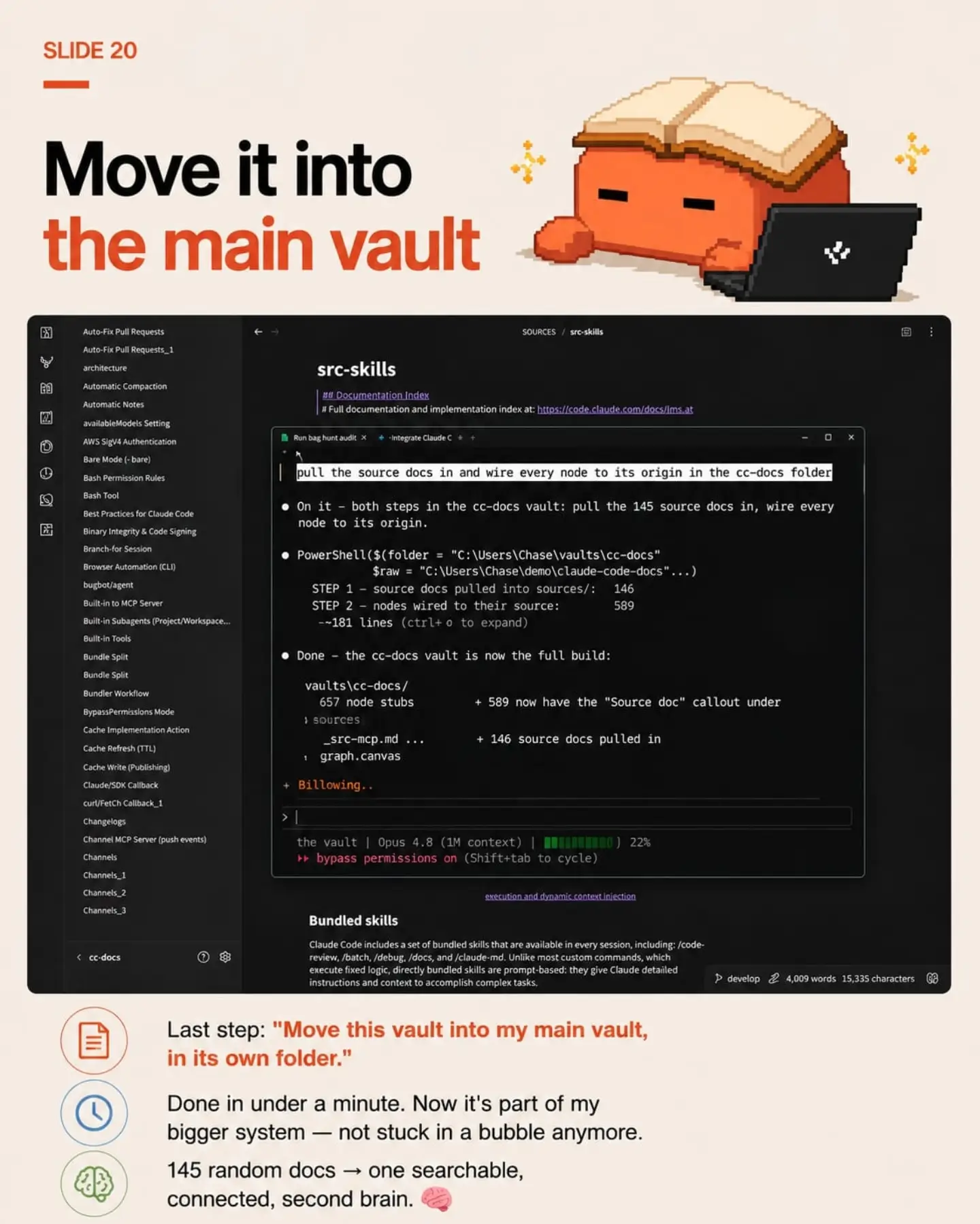
SLIDE 20 Move it into the main vault SOURCES / src-skills src-skills ## Documentation Index # Full documentation and implementation index at: https://code.claude.com/docs/lms.at Run bag hunt audit Integrate Claude C pull the source docs in and wire every node to its origin in the cc-docs folder On it - both steps in the cc-docs vault: pull the 145 source docs in, wire every node to its origin. PowerShell($(folder = "C:\Users\Chase\vaults\cc-docs" $raw = "C:\Users\Chase\demo\claude-code-docs"...) STEP 1 - source docs pulled into sources/: 146 STEP 2 - nodes wired to their source: 589 --181 lines (ctrl+ o to expand) Done - the cc-docs vault is now the full build: vaults\cc-docs/ 657 node stubs + 589 now have the "Source doc" callout under sources _src-mcp.md ... + 146 source docs pulled in graph.canvas Billowing.. > the vault | Opus 4.8 (1M context) | 22% bypass permissions on (Shift+tab to cycle) execution and dynamic context injection Bundled skills Claude Code includes a set of bundled skills that are available in every session, including: /code-review, /batch, /debug, /docs, and /claude-md. Unlike most custom commands, which execute fixed logic, directly bundled skills are prompt-based: they give Claude detailed instructions and context to accomplish complex tasks. develop 4,009 words 15,335 characters Last step: "Move this vault into my main vault, in its own folder." Done in under a minute. Now it's part of my bigger system — not stuck in a bubble anymore. 145 random docs → one searchable, connected, second brain.
scraped.media
derived.classifier
derived.classifier
scraped.caption
derived.classifier
derived.classifier
user.note
derived.keyframe_ocr